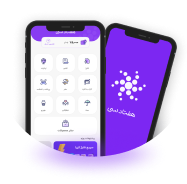
Redesigning 7030 Application

What challenges do you face, when you try to improve an old-fashioned app?

This was a one-year-long project, where we added some new features to the app, improved main user flows, and ultimately decided to redesign the whole project. The project was on Android, iOS, and PWA platforms. The team consisted of me as a UI/UX designer, a product owner, graphics and motion designers, and 5 engineers. I was also assisted by the marketing and CRM team.

20 min read case study

Full-Time
On-Site
Persian

Introduction

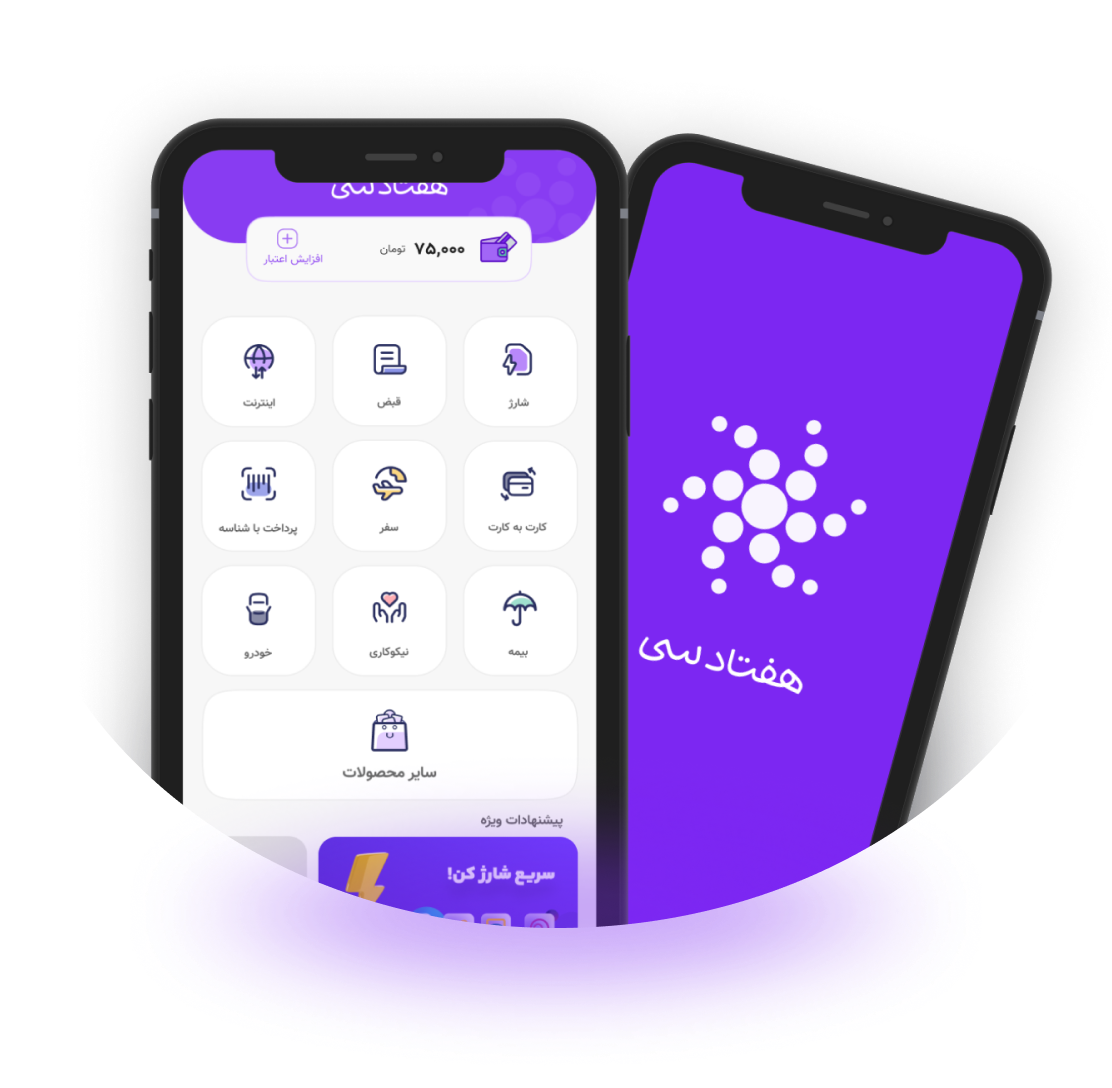
7030 application, HaftadSi is an application that provides various payment services such as purchasing mobile top-ups and internet packages, paying bills, transferring money between cards, buying third-party insurance, purchasing train and plane tickets, and vehicle services. With a network marketing approach, HaftadSi allocates 70% of the profit from product purchases to its users. The app's design hasn't seen an update in 1.5 years, leading to several significant issues in key UI/UX principles. Users have faced challenges with usability, desirability, and accessibility, which have become increasingly apparent over time. These issues have highlighted the urgent need for a redesign to enhance the overall user experience and bring the product up to modern standards.

Previously, the Home page, Buy Top-Ups, and profile pages in last two versions looked like this:

V 2.0

Before I joined the company, the 7030 app was already on its second version. This iteration, designed and implemented by the previous team, placed a strong emphasis on the home page, known as the "Vitrin." The goal of the Vitrin was to guide users seamlessly to the wide array of features offered by the app. Given that 7030 is a super app, this approach initially seemed appropriate and well-suited to its diverse functionality.

However, the Vitrin page was challenging to navigate because users had to scroll to see all the available features. Despite this, I believe the use of various colors to distinguish between different feature types was a brilliant and visually appealing choice.

Selling top-ups is highly profitable for the business, and users frequently purchase top-ups and internet packages. This made the Vitrin page crucial for both the business and the users. However, I had some concerns with its design. The placeholder for the phone number was one of the first things I disliked, and navigating through the tabs was somewhat cumbersome.

The profile page was essential in this version because the app's core included affiliate marketing. Users needed to see how many people they had invited and track their accumulated profits. However, I felt that this wasn't the best approach to meet those needs.

V 3.1

I was tasked with improving this version of HaftadSi. While some previous flaws had been addressed, user satisfaction remained low. I noticed several usability issues and inconsistencies throughout the app. Initially, I was assigned to add new features and implement a new architecture for the product, along with making a few modifications.

As you can see, the feature categorization has been significantly improved, making it much easier to navigate. Additionally, a new section has been added to streamline and simplify common actions for users.

In this version, we aimed to make the app more user-friendly by incorporating rounded buttons and chips, adding a touch of warmth and approachability. Based on user feedback, we also found it essential to include a dedicated section for top-up codes.

In this version, the profile page was simplified for a more streamlined experience. Several items were relocated to a new section in bottom navigation bar to enhance organization and ease of use.

Understanding the Challenges

The 7030 application hadn't been updated for at least 1.5 years. The product owner had numerous ideas but was uncertain about how to implement them. Users were dissatisfied with the current version of the app. As the sole UI/UX designer on the project, I had a substantial amount of work ahead of me.

My first task was to thoroughly review the existing application and identify its issues. I needed to understand the app's goals and the value it brought to online payment services. Additionally, I had to determine the target audience and how the app helped users achieve their objectives. Understanding the competition was also crucial—who they were, what they offered, and how they operated.

It took me nearly six months to grasp some of these aspects fully. Marketing played a crucial role in the company, responsible for finding financial partners. As a super application supporting various payment options, 7030 functioned as a financial hub, connecting users to a wide range of service providers such as banks, insurance companies, transportation services, charities and NGOs, and SIM card providers. This network of partnerships was essential for the app's comprehensive service offering.

Challenge No. 1

During these months, I gathered feedback from the support team, as no other data set was available. This was my only way to understand the users' pain points.

I discovered that one of 7030's key features was its potential for users to earn significant money through their invitees' purchases, although the income from their own purchases wasn't substantial.

A major business goal was to expand the user base and acquire more users, with the best motivation for users being the opportunity to make money through the app.

However, the app had a clear problem:

users couldn't properly track their income or their invitees' activity. Additionally, many users didn't understand why they should choose 7030 over competitors; they were unaware of the earning potential and how to withdraw their earnings.

another idea that came from feedbacks from the users, was the referral codes. We figured that users used their referral codes to manage their referral channels, for example one of the users told us, he had a referral code just for a Telegram channel and different one for the Instagram. He could then decide which channel would work best for him , if only he had new how much income he had from that single code.

So there was another clear problem:

users could only create new referral codes, up to 5. But they couldn’t track how many invitees each of these codes have separately, and of course they couldn’t track their income by their codes.

So after highlighting the first challenge it was time to ideate the best solution. I started to sketch some of the main screens including the income page, invitees and referral codes. since these items were some of the most important features for both users and business, we decided to add a new item in bottom navigation bar, named “income”.

at first it was decided to merge the three concepts of income, invitees and referral codes in one page, but since each of the concepts had their own information and usage, we decided to use a tab to separate them from each other.

we aimed to help users track their invitees count, and also make invitation process more smooth and accessible. so in this section we showed users their invitees count and multiple ways to invite others.

referral codes were crucial for users to decide which referral channel had the best conversion for them. So we added a new tab in the Income section named referral codes. this section was intended to manage referral codes in a meaningful way.

These are the 3 pages designed in “income” tab on bottom navigation bar.
Challenge No. 2

Users didn't have the opportunity to learn about 7030's key features before logging into the app. As a result, if they didn't arrive through marketing channels or an invitation, they were unaware of the referral program and the potential income they could earn.

As we added the income section to the app, we decided to make changes to the user sign-up/sign-in flow by introducing three onboarding pages and a dedicated page for entering referral codes.

I designed 3 onboarding pages, in order to inform the users before signing up to the app.
A new page was also added after the sign-up process for users to enter their referral code. Adding a referral code was optional for users and they could enter their code later.
Challenge No. 3

Several users have expressed concerns about the visibility of their wallet credits when attempting to make purchases. The process of accessing this information has proven inconvenient, as they currently need to navigate to either the profile or income sections to view their available credit. This additional step has led to confusion and inefficiency, impacting their overall experience.

Given that the app's primary features are centered on the main screen, known as "Vitrin," we recognized the importance of enhancing user convenience. As a result, we made the decision to display the user's wallet balance directly on the Vitrin screen, ensuring that this crucial information is readily accessible without requiring additional navigation.

A new section was added to the home page, showing the user’s remaining credit in their wallet.
V 3.2

After addressing some of these challenges, we released version 3.2. This update included modifications to the design system components and introduced a new feature for cars, covering invoices and insurance. Since these changes weren't particularly notable and the main focus of this case study is on the latest version, I'll skip the challenges faced in this release and move straight to the next version.

Redesigning the 7030 application

The 7030 application hadn't been updated for at least 1.5 years. The product owner had numerous ideas but was uncertain about how to implement them. Users were dissatisfied with the current version of the app. As the sole UI/UX designer on the project, I had a substantial amount of work ahead of me.

V 4.0

In this version, the primary focus was on visual design elements and color styles. One of the major issues with the older versions of 7030 was the excessive use of colors on every page. While the colors helped users differentiate between various services, the colorful headers and buttons on each page felt overwhelming to many. Beyond that, this vibrant and cluttered style felt outdated and out of sync with modern design trends.

In the old versions, service-specific colors were also used for CTAs, which meant the 7030 brand color and primary buttons were rarely utilized. As a result, each page felt disconnected, like its own isolated entity, rather than part of a unified app experience. In contrast, the services needed to feel cohesive and aligned with the app's main brand colors and styles. This overuse of colors not only confused users but also weakened the app’s brand identity.

as shown above, each service had it’s own unique colors, which was shown in the headers and other elements on the page.

To address this, I began by removing colors from headers and other general components, opting for neutral tones like white and gray to create a cleaner and more cohesive look. I then strategically incorporated color into icons and non-general components such as tabs and tab-switches, ensuring a more balanced and visually appealing design.

V 3.2 - In version 3.2 and earlier, headers and items were overly colorful, which made the interface overwhelming for users. This excess of color cluttered the design and made it difficult for users to navigate and focus on the primary user flow.

V 4.0 - in this version all the excessive colors on the screen were removed and replaced with neutral tones. This change allowed users to more easily differentiate objects and navigate the interface without feeling overwhelmed..

Modifying the visual styles

Brand color

Speaking of brand identity and colors, insights from the support and marketing teams revealed that most of the app's users were teenagers and people in their 20s and 30s. Based on this, we decided to modify the 7030 brand color to better align with our audience. The focus was on updating the existing purple to make it more vibrant and energetic, infusing the app with a sense of youthfulness and vitality that resonated with our user base.

HaftadSi’s brand color changes in different versions - as it shown above HaftadSi’s brand color was updated to a more vibrant and dynamic shade, designed to convey a sense of youthfulness and energy, perfectly aligning with the app's target audience.
Icons

In the new version, the icons were completely redesigned to complement the updated brand colors and enhance the app's appeal to younger users. Our goal was to create a more friendly and approachable experience, so we ensured that the new icons reflected a modern, vibrant, and cohesive design language throughout the app.

Refined Color System and Simplified Design

In the new version, I removed card shadows and some header shadows to create a more minimalist and simple design. With colors already refined, the next step was to eliminate unnecessary shadows. To ensure clear differentiation between objects and the background, I applied the Material Design color system, incorporating elements like background color, surface, primary, and others. Objects on the page were defined as surfaces against the background, and I introduced borders in certain areas to further help users distinguish between objects and the background more effectively.

Conclusion

Redesigning the HaftadSi app was a collaborative and comprehensive effort to identify challenges, understand user needs, and align the app’s design with modern principles. From the outset, I worked closely with team members from marketing, support, and development to ensure the redesign addressed both user pain points and business goals. Insights from the support team highlighted user frustrations, while feedback from marketing helped shape the brand’s youthful and energetic identity. The development team’s expertise was invaluable in implementing new features and ensuring technical feasibility.

A major focus of the redesign was redefining the color system to create a cohesive, vibrant, and youthful visual language that resonated with the app's target audience. Shadows and excessive visual elements were removed to adopt a minimalistic approach, while the Material Design color system was applied to maintain clarity and simplicity. The app's icons were also completely redesigned to align with the refreshed brand identity and appeal to younger users.

Beyond visual updates, I restructured the user flow, added onboarding pages, and ensured the interface effectively communicated the app's core features, such as the referral program and income tracking. These changes addressed usability issues, strengthened brand identity, and created a unified experience across all platforms, including Android, iOS, and PWA.

This redesign was more than a visual overhaul—it was a concerted effort that balanced user needs, business objectives, and technical possibilities. The result is a modern, intuitive, and engaging app that reflects HaftadSi’s dynamic and innovative spirit.

Below are the final design pages that showcase the culmination of this redesign journey.

Get Resume Contact Me