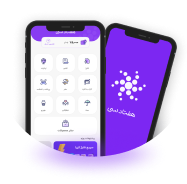
The redesign of the Kian Digital app marked a significant milestone in my career as a UX/UI designer. This case study showcases my journey through user research, feature prioritization, design, and collaboration with developers to create a user-friendly and visually appealing fintech app tailored to the needs of its users.
20 min read case study
Kian Digital is a fintech application aimed at providing investment opportunities to a broad spectrum of users, from novice investors to VIP clients. Despite its strong foundation, the app faced challenges such as low onboarding completion rates, suboptimal user flows, and limited discoverability of features. My role was to address these pain points and transform the app into a modern, efficient, and engaging investment platform.
Previously, the Home page, Fund list, and Fund overview pages looked like this:
This page was a little scary because there was so much blue! The CTA, which is Investment Funds in English, didn’t stand out, and it didn’t give the users any excitement or positive emotions.
It was difficult for users to choose which fund was better suited for them on this page. Also, the top image was so old-school, and it didn’t get along with other elements on the page.
This page was overloaded with data that didn’t help users at all. The data was in a bad hierarchy and couldn’t help the user get to the main point, which was investment, of course!
The Kian Digital app, a popular platform with over 25,000 investors, faced a crucial question:
were users truly happy with their experience? We suspected there might be hidden roadblocks
hindering their investment journey.
To understand user needs, we launched a comprehensive user research campaign. Surveys were our
first step. Initially, we wrestled with two key questions: who to target and how many responses
were needed for reliable data
Research became our guide. We decided to focus on experienced investors – those already using
the app for investments. Their firsthand feedback would be invaluable. However, ensuring our
findings reflected the broader user base was vital.
Here, a statistical tool called Survey Monkey came into play. We plugged in three key factors:
the total user population, an acceptable margin of error (accounting for slight inaccuracies),
and our desired confidence level (how certain we wanted to be about the results). Survey Monkey
crunched the numbers and revealed the magic number: 379 participants.
Armed with this data and a focus on user experience, we contacted our target audience. Utilizing
the app's database, we sent out survey invitations via email and phone, seeking their valuable
insights. This survey was just the first piece of the puzzle. Interviews and empathy maps would
provide further depth, but for now, the survey results held the key to unlocking user pain
points. By understanding their frustrations, we could pave the way for a redesigned app
experience that empowers investors on their financial journeys.
I sent out a survey invitation via email and phone, seeking insights about user’s demographics and preferences.
Since user demographics hadn't been previously collected, we included questions about gender, age, and app/finance knowledge. This helped us understand the user landscape – were they tech-savvy millennials or seasoned investors? Additionally, we inquired about risk tolerance – a crucial factor for investment decisions.
We aimed to create a well-rounded user profile by delving into these demographics. This would be instrumental in tailoring the app experience best to serve the diverse needs of our investor base.
The survey also delved deeper, exploring user experiences within the app. We asked about specific features, the signup process, and any general frustrations. This combined approach – demographics and user experience – provided a rich tapestry of data, helping us identify key areas for improvement.
Our user research campaign yielded valuable insights into the Kian Digital app's current state and user base. Here are the key takeaways:
Our user research campaign, spearheaded by surveys, yielded a treasure trove of insights. Not only did we gain a deeper understanding of our user base, but this data also paved the way for the creation of user personas. These personas would become our guiding stars throughout the redesign journey, ensuring every decision catered to a real user with specific needs and goals. Based on the survey data, we meticulously crafted four distinct user personas:
With user personas in hand, we embarked on the next stage of our user research journey –
user
interviews. While surveys provided valuable quantitative data, we craved a deeper
understanding
of user goals, motivations, and the emotional aspects of their experience – things cold
numbers
couldn't capture.
Our diverse user personas, each with unique characteristics and investment goals, demanded a
tailored approach. To ensure we gathered comprehensive insights for each persona, we
recruited
12 participants – three individuals for each persona.
These in-depth interviews allowed us to:
Uncover Hidden Motivations: We delved beyond the surface level, exploring the “why” behind user actions. What truly drives their investment decisions? What anxieties or aspirations do they hold?
Empathize with User Emotions: We weren't just gathering data; we were building empathy. By listening to users' frustrations, joys, and hesitations, we gained a deeper understanding of their emotional journey within the app.
Validate User Persona Accuracy: These interviews served as a valuable reality check for our user personas. Did their characteristics and needs resonate with real users?
By incorporating qualitative data from user interviews, we enriched our understanding of the Kian Digital app's user base. This holistic approach, combining quantitative and qualitative research, would prove instrumental in crafting a truly user-centric design refresh.
Knowing this was unfamiliar territory, I sought the expertise of my fellow designer, Reza. Together, with the support team, we brainstormed to create a comprehensive interview guide.
The User's Investment Journey: We wanted to explore users' past investment experiences, their aspirations for the future, and what factors influenced their choice of financial applications.
The User Experience: The User Experience: We aimed to identify challenges users faced within the app, their overall experience, and their expectations for a financial app like Kian Digital.
User Needs & Preferences: We aimed to understand the emotional aspects of users' experience, their preferred notification methods, and any desired features or tools. Additionally, we wanted to gauge their level of financial literacy and their interest in educational resources within the app.
After conducting insightful user interviews, a mountain of data awaited analysis. Twelve
interview recordings must be transcribed, each brimming with valuable user experiences.
Facing a
tight budget and timeline, we needed more affinity diagramming sessions.
However, a spark of innovation ignited. AI transcription emerged as a game-changer. We fed
the
transcripts into an AI tool, a cost-effective and time-saving solution. With a
back-and-forth
dialogue, the AI diligently identified recurring patterns within the user responses.
This AI-powered approach yielded several benefits:
Unveiling the "why" behind user behavior was crucial. Through in-depth interviews and AI-powered analysis, we gained a wealth of insights that would guide the Kian Digital app redesign. Here's what we learned:
These user insights form a clear roadmap for the Kian Digital app redesign. By addressing user pain points, catering to diverse needs, and prioritizing security and financial literacy, the app can empower users on their financial journeys.
This customer journey map explores Ali's experience using the Kian Digital investment app. It follows his steps from initial discovery to actively managing his investments. By understanding his interactions, actions, and emotions at each stage, the map helps identify potential problems and ensure the app provides a smooth path towards achieving his financial goals.
To position Kian Digital as a leading financial app in the local market, we studied key competitors to identify strengths to emulate and weaknesses to improve on.
Competitors Studied:
1. Mofid App (Local Market): A prominent competitor with a modern UI, efficient asset architecture, and unique features like instant banking card withdrawals and portfolio-based auto-investment
2. Acorns App (International Market): Known for its solid onboarding process and predictive financial tools, suited for global markets with stable international investment opportunities.
To refine our approach, we analyzed competitor apps. A standout feature was the inclusion of a dedicated home screen for app navigation and a separate tab for user assets. In contrast, Kian Digital’s old design merged these into a single screen, limiting the visibility of additional features. This insight inspired a more dynamic and modular approach in the redesign.
Armed with the user insights gleaned from interviews and surveys, we embarked on a transformative journey to redesign the Kian Digital app. It was time to put user needs at the forefront and craft an experience that was not only functional but also intuitive and engaging.
We prioritized features based on:
The onboarding process in the old version of Kian Digital was a significant barrier to user adoption. The six-step process required users to upload multiple ID photos, a selfie, and record a video for authentication—steps that were time-consuming and frustrating.
We began by diagnosing the root causes of user drop-offs using a combination of tools and techniques:
Since another team managed the onboarding process, we initiated cross-functional discussions. These meetings were essential to share our findings and propose solutions. The collaboration highlighted technical constraints and security requirements, but we worked together to align on a user-first redesign.
Key changes included:
Screens of old and new onboarding processes. as shown above 3 screens were removed, the new design contained an image of a young sprout, justification made in ux writing and account set password were made easy.
The redesigned flow underwent multiple rounds of usability testing, both within the organization and with external users:
The redesign wasn’t without hurdles. Determining the flow and order of steps involved resolving technical issues, which required additional time. However, the team persevered, ensuring a seamless, automated onboarding process for subsequent funds—a critical improvement to user experience and efficiency.
These efforts culminated in a 25% improvement in onboarding completion rates, as reported by the CRM and support teams.
The architectural changes in Kian Digital were driven by several core challenges: slow screen load times, low discoverability of important features, and the need for a flexible structure to accommodate future improvements. Our goal was to streamline navigation, improve performance, and enhance the overall user experience, ensuring the app felt secure, user-friendly, and future-proof.
Key changes included:
The My Assets page was added to give users a clear and consolidated view of their investments. This screen not only displays the total value of a user’s assets but also allows them to toggle between their own and their children’s assets, offering a more holistic financial overview. This change improved usability by enabling users to see the full scope of their investments.
The static home screen was redesigned into a dynamic Dashboard, serving as a central hub for easy navigation to all features. Key improvements include:
The Invest for Children feature, previously difficult to find, was relocated to the Dashboard, ensuring it was more visible and accessible. By clicking on this section, users are directed to a landing page that introduces the feature, followed by a clear path to invest for their children. This change significantly improved the feature’s discoverability.
To further enhance user confidence and make support more accessible, we introduced a Support Section in the app’s header. This ensures that help is always just a click away. Users can easily access support through the app, whether they need assistance with navigation, investment-related queries, or technical issues.
A prominent Support Banner was added to the Dashboard, aimed specifically at new users. This banner serves as a comforting reminder that they’re not alone in their investment journey. By clicking on the banner, users can access helpful resources like FAQs, and contact support via chat or phone. This feature encourages users to seek assistance when needed, promoting a sense of security and trust within the app.
The Risk Management feature was rebranded to Targeted Investment. This change was made to make the feature sound more purposeful and aligned with users’ financial goals. The new name emphasizes purposeful investing, which resonates better with users who want to be more strategic and intentional with their investments. The updated feature was designed to feel more reliable and focused on helping investors achieve their financial objectives.
The Idea section, which focused on providing financial knowledge, was renamed to Financial Knowledge to offer a clearer and more intuitive understanding of its purpose. To make this section more engaging and accessible to a broader audience, we added podcasts alongside the blog posts. This addition helps cater to different learning preferences and provides users with a more varied and engaging way to consume financial knowledge.
To modernize Kian Digital while reinforcing its brand identity, the redesign followed a
set of clear principles: simplicity, modernity ,
and strong data hierarchy.
The goal was to create a design that felt intuitive yet trustworthy for users navigating
financial
investments. Key updates included:
1- Unified Design System
While budgetary and time constraints limited the addition of entirely new features, we
prioritized creating a feasible product that could be developed swiftly. However, this
meant paying attention to the app's usability and overall user experience (UX). We
recognized the need for a unified design system to address longstanding issues with
consistency and desirability across the app.
Imagine saying goodbye to design inconsistencies and hello to a seamless user
experience! We invested two intensive weeks in custom design system incorporating
consistent UI components like buttons, inputs, and selection controllers. Following
Material Design’s 8px grid system, the components were tailored to suit the app's unique
needs while maintaining coherence across screens.. This system served as the foundation
for our design language, drawing inspiration from Google's Material Design principles
but with unique modifications to reflect Kian Digital's identity.
The result? A vibrant color palette, a fresh typography set, and a collection of modern
icons – all working in concert to create a cohesive and visually appealing app.
2- Refreshed Visuals
3- Accessibility Improvements
Some pictures of my digital wireframes, they’re not always necessary but in this case, we wanted to improve our apps layout and architecture with the new design system. some pages were more important the others, like the fund overview page, my assets page ,etc.
The user feedback loop remained our compass as we strategically added features to the app.
Informed by the interviews, surveys, and stakeholder input, we carefully selected features that
bridged the gap between the old app and the envisioned redesign. These features included a risk
measurement system, detailed fund options with explanations, and clear profit potential
indicators.
With a more robust feature set in place, I built a functional prototype – a basic, interactive
model of the app's core functionalities. This prototype served as a crucial testing ground to
assess user interaction and identify any potential usability hurdles.
To ensure a comprehensive evaluation, I selected a multi-pronged approach utilizing established
usability testing methodologies. Here's where I got technical:
By combining these diverse testing methods, I aimed to paint a holistic picture of the user
experience with the Kian Digital app prototype.
We put the Kian Digital app prototype through the wringer with a user testing trifecta: PUEU,
CUSQ, and ASQ. These tests acted like our secret decoder rings, helping us unlock user
perceptions and identify areas to refine the app.
The insights from these tests weren't just stored away – they actively guided refinements to the app. Feedback on workflows, error handling, and design clarity directly informed updates, ensuring the final product aligned with user expectations.
User Testing: A Recipe for SuccessThese combined insights from usability testing are like the secret ingredients in our app development recipe. By focusing on clearer information, faster performance, improved error handling, and continued user-friendliness, we can create a Kian Digital app that's not only functional but also a delight to use!
Some screenshots of my figma file, including prototype links between pages.
The Kian Digital app prototype faced a user testing gauntlet – PUEU, CUSQ, and ASQ. These tests
were like user focus groups, revealing their likes (intuitive design) and dislikes (slow speed,
unclear info) about the app.
Armed with this intel, I, along with my team, embarked on building the
real deal. But this time,
we weren't launching blind. Learning from past mistakes, I knew we needed tools to measure
quantitative data of user experience in the wild.
That's where Google Analytics became my secret weapon for user data.
I
spearheaded the integration process, setting up events to track things like task completion
time, errors encountered, and even the number of tasks finished. It was like setting up a
digital spyglass to see how users interacted with the app.
This wasn't a simple task. I delved into the inner workings of Google Analytics, meticulously
naming each event clearly and placing them strategically within the app. The effort was worth it
– this data would be invaluable in fine-tuning the app and ensuring a truly user-friendly
experience.
The Kian Digital project was a significant milestone in my journey as a designer, offering countless learning opportunities and challenges. Collaborating with diverse teams—designers, front-end developers, back-end developers, and product managers—taught me the value of clear communication, teamwork, and adaptability.
One of the most impactful lessons was understanding the nuances of designing for a financial app catering to multiple user personas, including:
Balancing the needs of these diverse personas demanded a thoughtful approach to navigation,
information hierarchy , and feature prioritization.
For instance, the introduction of
the
Favorites section on the dashboard allowed VIP investors to track their assets effortlessly,
while intuitive onboarding and informative tooltips reassured novice users.
Another key focus area was ensuring smooth page loading
experiences and clear error handling. I
worked closely with front-end developers to optimize screen loading times and craft error
messages that were informative yet user-friendly. This attention to detail was driven by my
belief that even negative experiences, like waiting for a page to load or encountering an error,
should be turned into opportunities to reinforce user trust. Designing delightful loading
animations and empathetic error messages helped ensure that these moments felt manageable rather
than frustrating.
Additionally, I honed my interaction design skills by collaborating with the development team to
implement features despite technical limitations. For example, selecting appropriate chart
libraries within the constraints of React Native required
creative problem-solving to maintain
the integrity of the design.
Designing and developing Kian Digital required navigating several hurdles, including:
Each challenge reinforced the importance of flexibility, collaboration, and iterative design.
Designing and developing Kian Digital required navigating several hurdles, including:
The Kian Digital app redesign was an opportunity to showcase my dedication to user-centered
design, my ability to conduct comprehensive user research, and my expertise in UI/UX and
interaction design. My sensitivity to the user experience during screen loading and error
handling exemplifies my commitment to ensuring users feel supported and confident when using the
app, even during potentially frustrating moments.
This project not only strengthened my confidence in designing for fintech applications but also
deepened my appreciation for creating intuitive and inclusive digital experiences. I look
forward to future opportunities where I can apply these skills and continue to grow as a
designer.
Kian Digital Application
A financial advisory and investment platform for Iranian people, offering ETFs and stocks to help users manage their financial life.
View Case Study
7030 Application
A payment app which helps users to pay their bills, transfer money, get top-ups and other payment services.
View Case Study